


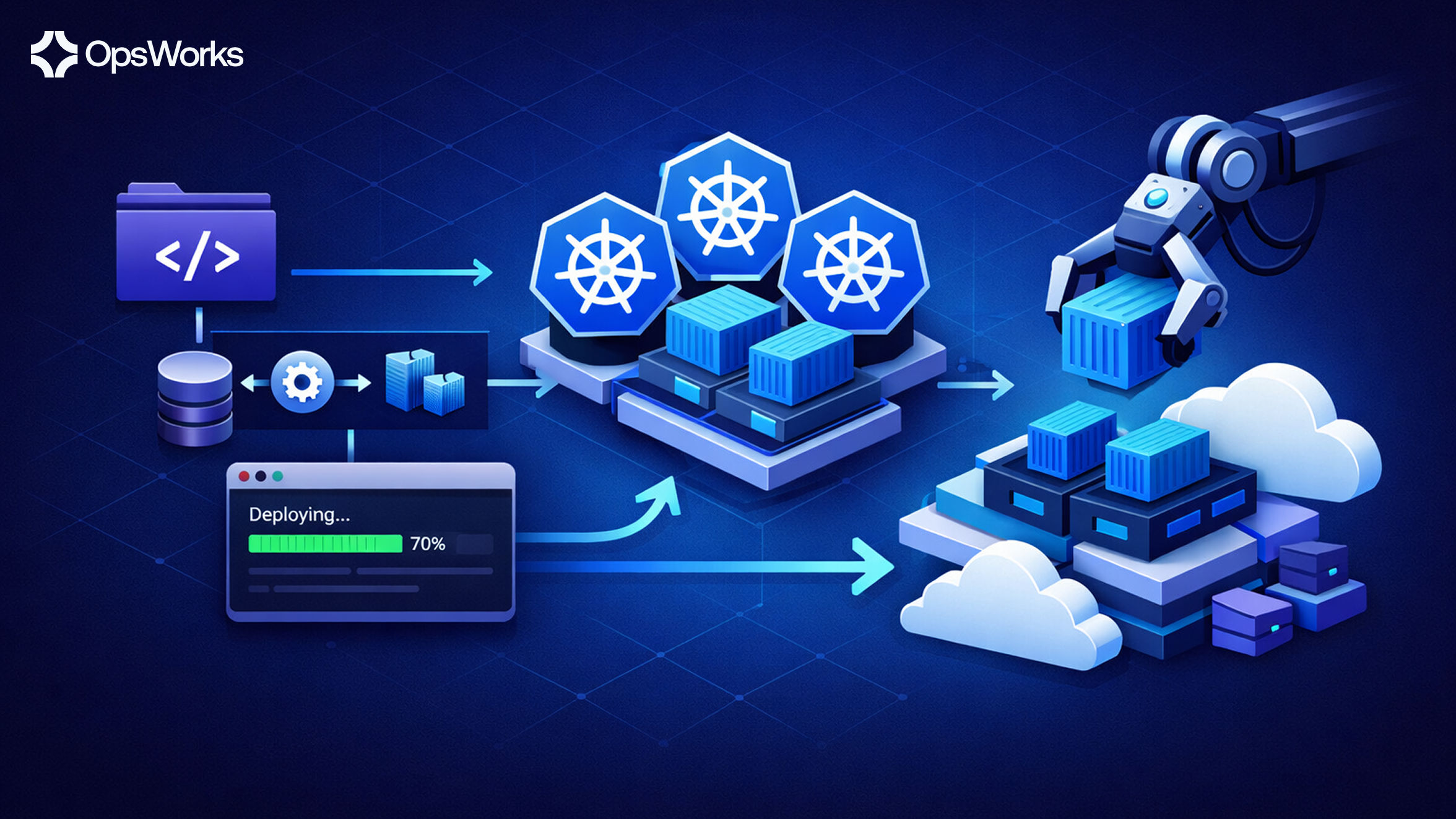

Modern DevOps teams are under constant pressure to ship faster, reduce downtime, and maintain infrastructure reliability at scale. OpenClaw has emerged as a powerful deployment framework designed to streamline complex release pipelines, enforce environment consistency, and give engineering teams fine-grained control over how and when their services go live.
In this guide, we walk through everything you need to know about deploying with OpenClaw — from initial setup to production rollouts — with practical patterns your team can adopt today.
OpenClaw is an open-source deployment orchestration framework built for cloud-native environments. It provides:
At its core, OpenClaw treats deployment as a first-class engineering concern, not an afterthought bolted onto your pipeline.
Before deploying with OpenClaw, ensure you have the following in place:
curl -sSL https://get.openclaw.io/install.sh | bash
claw version
A typical OpenClaw project follows a straightforward layout:
my-service/
├── claw.yaml # Root manifest
├── environments/
│ ├── dev.yaml
│ ├── staging.yaml
│ └── production.yaml
├── hooks/
│ ├── pre-deploy.sh
│ └── post-deploy.sh
└── .clawignore
The claw.yaml file is the entry point for all deployment configuration. Here is a minimal example:
name: my-service
version: "1.0"
registry: registry.mycompany.com/my-service

pipeline:
  stages:
    - name: dev
      auto_promote: true
      on_success: staging
    - name: staging
      gate: manual
      on_success: production
    - name: production
      strategy: canary
      canary_weight: 10
      rollback_on_error: true

health_check:
  path: /healthz
  interval: 15s
  timeout: 5s
  threshold: 3
OpenClaw supports four deployment strategies out of the box. Choosing the right one depends on your service's risk profile and traffic requirements.
Replaces instances incrementally with zero downtime. Best for stateless services with stable APIs
strategy: rolling
max_unavailable: 1
max_surge: 2
Provisions a full parallel environment, switches traffic at once, and keeps the old environment hot for instant rollback.
strategy: blue_green
idle_timeout: 30m   # how long to keep the previous environment warm
Routes a configurable percentage of traffic to the new version. Ideal for high-traffic services where you want data-driven confidence before a full rollout.
1strategy: canary
2canary_weight: 5        # start with 5% of traffic
3step_increment: 10      # increase by 10% every interval
4step_interval: 10m
5success_metric: error_rate < 0.5%
6
Terminates all existing instances before launching new ones. Use only for batch jobs or services tolerant of brief downtime.
strategy: recreateOne of OpenClaw's strongest features is its opinionated promotion pipeline. Rather than maintaining separate deployment scripts per environment, you define gates and conditions in your manifest.
# environments/staging.yaml
inherits: dev
overrides:
replicas: 3
resources:
cpu: "500m"
memory: "512Mi"
env:
LOG_LEVEL: warn
FEATURE_FLAGS_ENV: staging
gates:
- type: test_suite
suite: integration
pass_threshold: 100%
- type: approval
required_approvers:
When the dev stage completes successfully, OpenClaw evaluates the gates defined on the staging environment. If all gates pass, the build is promoted automatically. Production gates typically require explicit human approval, a passing load test, and a clean security scan.
Hooks let you inject custom logic before and after any deployment phase. Common uses include:
# hooks/pre-deploy.sh
#!/bin/bash
set -e
echo "Running database migrations..."
claw exec -- python manage.py migrate --run-syncdb
echo "Flushing CDN cache for /api/*..."
curl -X POST "https://api.cdn.mycompany.com/purge" \
-H "Authorization: Bearer ${CDN_TOKEN}" \
-d '{"prefix": "/api/"}'
Register hooks in your manifest:
hooks:
pre_deploy:
- hooks/pre-deploy.sh
post_deploy:
- hooks/post-deploy.sh
on_rollback:
- hooks/notify-rollback.shSecurity Note: Never hardcode secrets in claw.yaml. OpenClaw integrates natively with major secret backends and secrets are never written to disk.
secrets:
provider: aws_secrets_manager
region: us-east-1
mappings:
DATABASE_URL: prod/my-service/db_url
API_KEY: prod/my-service/api_key
At deploy time, the OpenClaw Agent fetches secrets directly into the runtime environment. Secrets are never written to disk or logged.
Configure thresholds that trigger automatic rollback if your new deployment becomes unhealthy:
rollback:
enabled: true
triggers:
- metric: http_5xx_rate
threshold: "> 2%"
window: 5m
- metric: p99_latency
threshold: "> 2000ms"
window: 5m
on_trigger: immediate
# List recent deployments for a service
claw history my-service --env production --limit 10
# Inspect a specific deployment
claw inspect my-service --deploy-id d-8f3a91c
# Roll back to a previous deployment
claw rollback my-service --deploy-id d-7b2e80b --env production
# .github/workflows/deploy.yml
name: Deploy
on:
push:
branches: [main]
jobs:
deploy:
runs-on: ubuntu-latest
steps:
- uses: actions/checkout@v4
- name: Install OpenClaw CLI
run: curl -sSL https://get.openclaw.io/install.sh | bash
- name: Authenticate
run: claw auth login --token ${{ secrets.CLAW_TOKEN }}
- name: Build and push image
run: |
docker build -t registry.mycompany.com/my-service:${{ github.sha }} .
docker push registry.mycompany.com/my-service:${{ github.sha }}
- name: Deploy to dev
run: claw deploy my-service --image-tag ${{ github.sha }} --env dev
deploy:
stage: deploy
script:
- claw auth login --token $CLAW_TOKEN
- claw deploy my-service --image-tag $CI_COMMIT_SHA --env dev
only:
- mainUse role-based access control (RBAC): OpenClaw's RBAC model lets you restrict who can deploy to which environments. Production deployments should require elevated permissions separate from dev/staging.
Sign your manifests to prevent unauthorized changes:
claw manifest sign claw.yaml --key ~/.claw/signing.key
Enforce immutable image tags: Avoid deploying latest. Always pin to a specific SHA or semantic version tag so deployments are deterministic and auditable.
Rotate agent credentials regularly: The OpenClaw Agent uses short-lived tokens. Configure automatic rotation in your identity provider to reduce the blast radius of a compromised agent.
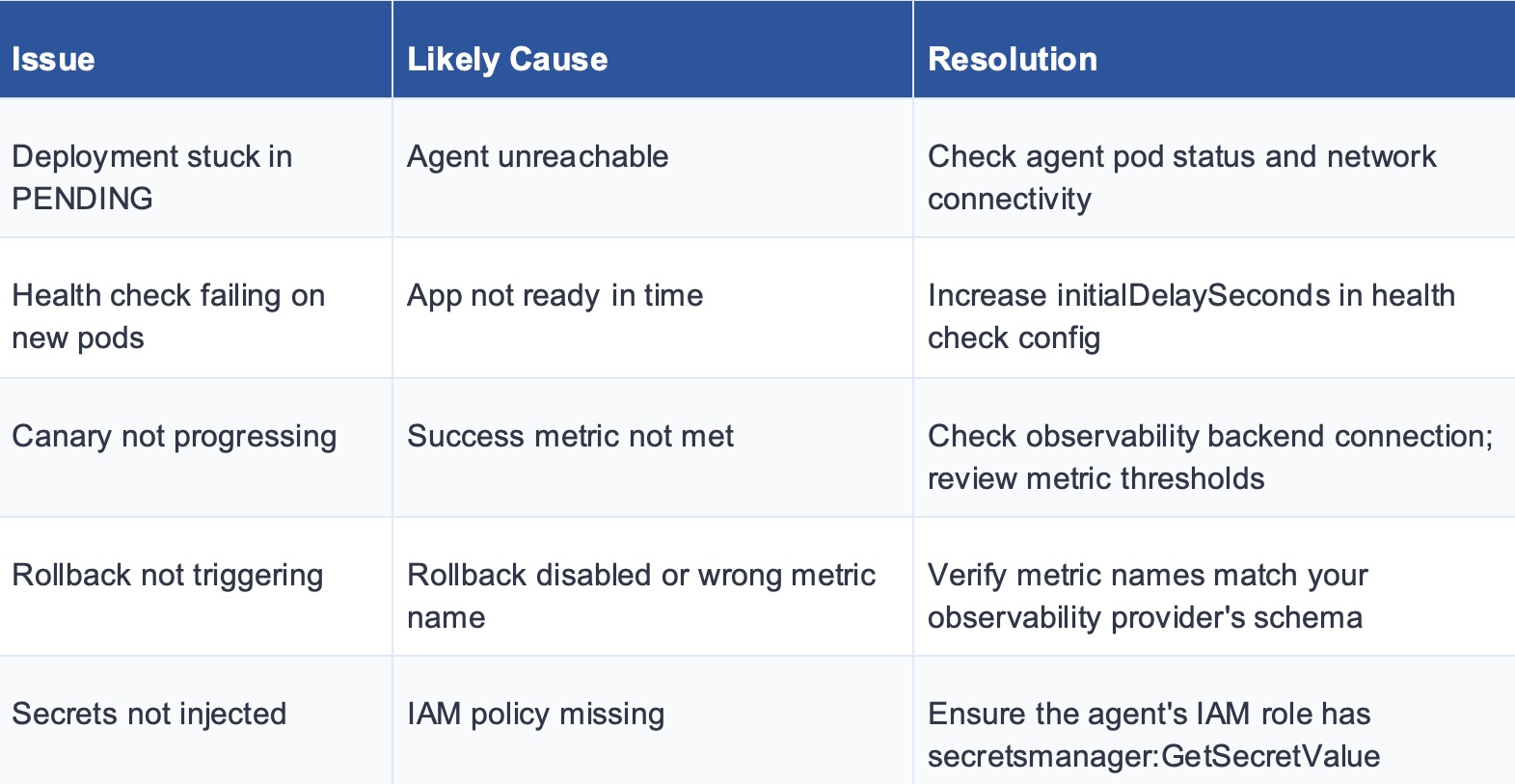
OpenClaw brings structure, safety, and repeatability to software deployments. By centralising your deployment logic in declarative manifests, automating environment promotion with configurable gates, and building rollback capability into every release, it reduces the operational risk that typically accompanies rapid delivery cycles. Whether you're running a handful of microservices or hundreds of them, adopting OpenClaw as your deployment standard gives your DevOps team the confidence to ship frequently — and recover quickly when things go wrong.
Have questions about OpenClaw deployment patterns at your organisation?
Reach out to the team at opsworks.co or join the community discussion.


Subscribe to our newsletter and get the latest insights that help you stay ahead of the curve.

© 2017-2025 All rights are reserved


